
Discord Linking
Linking your game account to our Discord takes a minute and pays well. It is also how staff can find you when you open a ticket.
How to link
- In game, type
::discord link. You get a 6-character code like below.

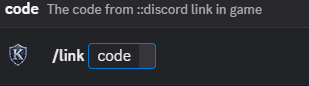
- In our Discord server, use
/link CODEwith that code.
- Done: you get a message in game that your account is linked.
The code is valid for 10 minutes. If it runs out, type ::discord link again for a new one.
Type ::discord on its own to get the invite to our Discord server.
Rewards
| Reward | How |
|---|---|
| $10 rank boost | Link your Discord, then claim it on the "Link your Discord" card in ::starter (see Starter Tasks). |
| 1,000 Ember Shards | The first time you show the Kova server tag on your Discord profile. |
| 750 Ember Shards a day | Every day you log in while showing the Kova server tag. |
A $10 rank boost counts toward your donator rank (see Donator Ranks). Ember Shards are spent on Ember perks (see Ember of Exchange).
The Kova server tag
Discord lets you show one server's tag next to your name. Pick Kova as your server tag in your Discord profile settings. The game notices when you wear it (you get a thank-you message) and pays the daily bonus each day you log in with it on.
New Discord accounts
The rewards only unlock once your Discord account is 14 days old. If your Discord account is newer, you can still link it, and the game tells you the date the rewards unlock.
Unlinking
Type ::discord unlink (it asks you to confirm) or unlink from Discord. After
unlinking.
you can link again after a few minutes. ::discord status shows your Discord rewards.
Referrals
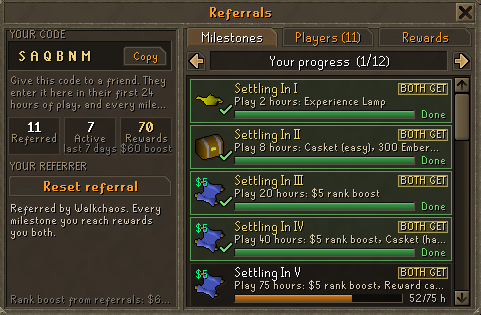
Linking your Discord and showing the server tag also counts for the Connected referral track, which rewards you and the friend who referred you. See Referrals.
Getting help
Our Discord is where you open tickets: bug reports, donation problems, password resets, player reports and appeals. Staff will never ask for your password. See Rules Summary.